

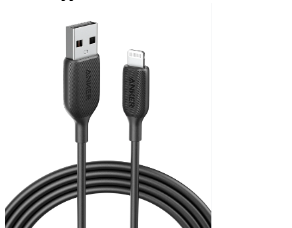
USB cables are a crucial part of our digital lives, connecting various devices and peripherals to our computers and power sources. While there are different types of USB connectors, the USB A cable remains one of the most common and widely used types. But what exactly is a USB A cable used for, and why is it still relevant today? Let’s delve into the multiple uses of USB A cables and understand how they fit into various applications.
Understanding the Uses of USB A Cables
Before we start, let’s learn what is usb A first. A USB A cable is designed with a standard rectangular connector, typically found on one end of the cable. It’s compatible with numerous devices, making it versatile and reliable for various tasks. Below, we explore some of the primary uses of a USB A cable.
1. Connecting Peripherals to Computers
One of the primary functions of a USB A cable is to connect peripherals such as keyboards, mice, and printers to computers and laptops. This type of cable ensures a stable and consistent connection, providing seamless communication between your devices. Whether you’re setting up an office workstation or a gaming rig, a USB A cable is a fundamental component to keep your peripherals connected and responsive.
2. Charging and Powering Devices
USB A cables are commonly used for charging devices like smartphones, tablets, and power banks. They are usually paired with a compatible power adapter or plugged into a USB port on a computer to deliver power to the connected device. Despite newer standards like USB-C gaining popularity, USB A remains a reliable option for charging due to its widespread compatibility and robust design.
3. Data Transfer Between Devices
A common use of the USB A cable is transferring data between devices such as external hard drives, flash drives, and cameras. With high-speed data transfer capabilities, these cables make it easy to move files, images, and videos between your computer and external storage devices.
4. Connecting Audio Devices
USB A cables can also be used to connect audio devices like USB headphones, microphones, and speakers to computers and gaming consoles. The plug-and-play nature of these cables allows for easy setup, making them ideal for home office, content creation, and gaming setups. Additionally, many audio interfaces rely on USB A connections for both power and data transfer.
5. Serving as a Hub for Multiple Devices
When used with a USB hub, a USB A cable can serve as a connection point for multiple devices simultaneously. A USB hub allows you to connect several peripherals to a single USB A port on your computer, expanding its connectivity. This is especially useful when you have limited USB ports on your device but need to connect multiple accessories, such as a keyboard, mouse, and external storage.
6. Connecting to Smart Home Devices
USB A cables are not just limited to traditional computing devices; they are also used to connect and power various smart home devices, such as smart speakers, hubs, and even some home security cameras. The universal nature of USB A makes it an ideal choice for providing both power and data transfer to a range of smart gadgets.
Conclusion
A USB A cable is a versatile tool that serves a multitude of purposes, from connecting peripherals to charging devices and transferring data. Understanding what is USB A and its capabilities helps you make the most of your devices and ensures compatibility across a wide range of equipment. Whether for powering up your gadgets or connecting essential peripherals, a reliable USB A cable is a must-have accessory in any tech setup.
