

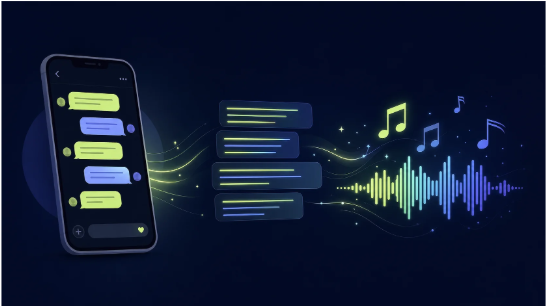
A small but growing subculture of poets, copywriters, and lyricists has started asking the same question: what would happen if I fed my words into an AI and let it decide the melody? The answer used to be “not much,” but text-to-music models have crossed a threshold where lyrical input can now produce structurally coherent songs in under a minute. That shift matters for anyone who writes words meant to be heard aloud—whether it is a birthday rhyme, a spoken-word piece, or a commercial jingle. To see how well lyric-to-music translation actually works, I spent an afternoon testing this Ai Song Maker with three very different types of text: a sentimental poem, a set of brand taglines, and a short rap verse. The goal was not to judge musical virtuosity but to understand where the technology captures the writer’s intent and where the gap between word and sound remains wide.
Three Types of Text, Three Very Different Musical Demands
A piece of writing can demand music that weeps, punches, or whispers. The challenge for any AI song generator is deciding which emotional register a block of text actually needs. I designed my tests to push this decision-making process in opposite directions, observing how genre, mood, and tempo settings interacted with the raw lyrics.
The Sentimental Poem: Can It Find a Gentle Melody Without Melodrama
Why This Task Separates Usable Output from Noise
Sentimental poetry walks a thin line between tenderness and schmaltz. My four-line stanza about autumn leaves and quiet goodbyes could easily tip into an over-produced power ballad if the AI misjudges the mood. I paired the lyrics with a slow tempo, romantic mood, and acoustic pop genre, hoping the system would prioritize restraint over grandiosity.
What Actually Played Back
The generated track opened with a soft piano figure that left plenty of space around the vocal entrance. When the AI voice entered, it phrased my lines with a measured pace that matched the natural line breaks in the poem. I had included a [verse] tag before the stanza and a [chorus] tag before a repeated line—the system respected both, giving the repeated line a slight melodic lift that felt more like a reflection than a climax. In my testing, this level of structural adherence meant I could write for the tool rather than fight its assumptions, which is a subtle but important distinction.
Where It Missed the Mark
The vocal delivery occasionally elongated syllables in ways that disrupted the rhythm of the original text. A line that I intended to be read as four steady iambic feet came out with an unexpected syncopation that altered the poem’s cadence. For gift-song purposes, this irregularity might go unnoticed; for a writer who cares deeply about scansion, it is a reminder that AI-generated phrasing is a loose interpretation, not a faithful reading.
The Brand Taglines: Generating a Jingle That Lands Like an Ad
Why This Task Tests Structural Brevity
Brand taglines are not songs—they are condensed messages that need to hook, stick, and resolve in ten to fifteen seconds. I pasted three short lines from a hypothetical coffee brand into the lyrics field, added [intro] and [hook] tags, and selected an upbeat pop genre with a happy mood at 130 BPM.
Observed Performance in a Time-Sensitive Context
The output delivered an earworm-adjacent hook within the first four seconds. The [hook] section repeated my tagline twice before resolving cleanly, which is exactly what a short-form ad needs. I downloaded the MP3 and dropped it over a video clip of a coffee pour—the alignment felt intentional, not forced. From a practical user perspective, this test highlighted the tool’s value for creators who need background music that carries a verbal message rather than merely filling silence.
Iterating for a Sharper Hook
My first generation placed too much instrumental emphasis on a synth lead that competed with the vocal line. I lowered the tempo slightly and regenerated. The second version pulled the lead back, letting the words sit more prominently in the mix. This kind of quick parameter adjustment, available directly in the interface, turned a near-miss into a usable asset without requiring me to rewrite lyrics or abandon the session.
The Rap Verse: Rhythm, Rhyme, and the Limits of AI Flow
Why Rap Exposes Syllabic Sensitivity
Rap depends on precise syllable placement against a beat. Any misalignment turns a confident bar into an awkward stumble. I uploaded eight lines of original rap lyrics with an AABB rhyme scheme, set the genre to hip-hop, and selected an energetic mood.
What Sounded Convincing and What Did Not
The beat selection landed on a trap-inspired hi-hat pattern that provided a clear rhythmic grid. The AI vocal locked onto the downbeats surprisingly well for the first four bars, and the rhyme endings landed on expected musical cadences. However, when I introduced an internal rhyme mid-line in the second half of the verse, the phrasing stumbled. The model seemed to prioritize end-rhyme structure over the internal pattern, resulting in a delivery that rushed some syllables and dragged others.
Practical Takeaways for Lyricists
If you write rap lyrics with complex internal schemes, expect to iterate more. In my testing, the best approach was to simplify rhythmic density in the first pass, then gradually add complexity across regenerations. The mood and tempo controls gave me enough steering to land a track that worked as a demo, though I would not rely on a single generation for a release-ready vocal performance.
The Step-by-Step Lyric-to-Song Workflow I Used
The platform does not bury its lyric-focused tools under unrelated features. Here is the actual path I followed for every test, including the small decisions that made the difference between an acceptable track and a genuinely useful one.
Step One: Paste Your Lyrics and Tell the System What It Is Looking At
When to Use Plain Lyrics Versus Structure Tags
I typed or pasted my text into the lyrics input area, then decided whether to add structural markers. When I used [verse] and [chorus] tags, the output demonstrated clear dynamic variation between sections. When I omitted them, the song frequently felt like one long, undifferentiated block. This simple habit—adding two or three bracket tags—took seconds and consistently improved the musicality of the result.
Understanding the Character Limit and Pacing
The input field accepts a substantial amount of text, but in my testing, lyric sets under 12 lines produced the most structurally predictable songs. Longer texts sometimes shifted section boundaries in unexpected ways, with a bridge appearing before a first chorus in one case. For writers composing directly in the tool, starting with a shorter lyric set and expanding after hearing the first generation proved to be a reliable workflow.
Step Two: Choose Mood, Tempo, and Genre to Match the Text’s Emotional Shape
How Genre Selections Influence Lyric Treatment
The genre dropdown is not just a label; in my observations, it affected instrumental palette and vocal delivery style. Selecting “pop” with romantic lyrics produced a breathy, close-mic feel, while “rock” gave the same lyrics a more forward, declarative tone. This made genre selection a key creative decision—equivalent to choosing who you imagine performing your words.
Tempo Settings and Lyric Intelligibility
Slower tempos gave the AI voice more room to articulate each syllable, which improved clarity for dense or poetic language. Faster tempos occasionally sacrificed enunciation for energy, particularly when I selected electronic or hip-hop genres. If your lyrics carry nuanced meaning, leaning toward moderate or slow settings in my testing yielded better word-level intelligibility.
Step Three: Listen to the Preview and Refine Without Abandoning Your Core Idea
What a Preview Tells You That a Description Cannot
Once the generation completed—usually within a minute or two—I listened to the preview directly in the browser. This immediate feedback loop let me assess whether my mood and genre choices translated into the emotional tone I imagined. In the brand tagline test, hearing the preview made it obvious that the synth lead was competing with the vocal; I adjusted settings and regenerated within the same session.
Exporting the Track and Putting It to Use
When I was satisfied, I downloaded the track as an MP3 for quick placement into a video timeline or as a WAV when I planned further mixing. The private generation setting meant my unfinished drafts stayed invisible, which mattered for client-facing projects. This final export step felt more like saving a document than completing a complex production process, which is exactly what a tool built for writers rather than audio engineers should aim for.
How Lyric-to-Song AI Stacks Up Against Traditional Paths
Writers who want to hear their words as music have usually had two options: hire a composer or learn production themselves. The table below places the AI Song Maker alongside those alternatives based on my hands-on experience.
| Dimension | MemoTune Ai Song Maker | Hiring a Freelance Composer | Self-Production in a DAW |
| Speed from Text to Audio | Under 5 minutes with iterations | Days to weeks for a demo | Weeks to months for beginners |
| Cost Per Song | Included in subscription; platform starts around $9.90/month | $100–$500+ per track for quality | High upfront equipment and software cost |
| Structural Control | Tags and style settings provide strong guidance | Full control through briefs and revisions | Total control, limited only by skill |
| Learning Curve for a Writer | Minimal; paste, select, generate | Requires communication and contract management | Steep; must learn arrangement, mixing, and MIDI |
| Best For | Rapid prototypes, gifts, short-form content | Professional releases, bespoke artistry | Writers who want to become composers |
Where the System Still Reads the Words Wrong
No lyric-to-music engine has solved every linguistic edge case, and my testing surfaced several consistent limitations.
Internal rhyme schemes and metrical irregularities challenged the phrasing engine. When I wrote a line that deliberately broke meter for conversational effect, the AI often smoothed it back into a uniform rhythm, erasing the intended texture. This suggests the model favors regularity over idiosyncrasy, which may frustrate poets whose style depends on controlled irregularity.
Multiple languages or code-switched lyrics produced unpredictable results. In a brief test with a mixed Spanish-English verse, the Spanish syllables sometimes received English vowel mappings, altering the natural pronunciation. While this is an area of active model improvement, writers working in non-English or multilingual contexts should expect additional iteration.
The vocal synthesis has a recognizable synthetic character. It is serviceable for a demo, a gift, or background content, but it does not replicate the nuanced expression of a trained singer. For lyricists evaluating whether a melody suits their words, this vocal quality is sufficient; for those seeking a final vocal performance, it may fall short.
Which Writers Get the Most from This Workflow
Poets who want to hear their work set to music without learning production software will find the low barrier to entry compelling. Copywriters and brand content creators who need short, message-carrying audio for social media can generate jingles faster than briefing a composer. Lyricists developing song ideas can use the tool as a scratchpad—testing how a line sings before committing it to a final draft. The Ai Song Maker does not compose for you in the sense of making artistic decisions, but it faithfully executes the decisions you encode through structure tags, mood, and tempo. That is a collaboration, not a substitution, and for writers who think in words first and hear the music second, it turns a solitary draft into something you can actually play back.
