



The Problem With Most AI Creative Tools Today
Ask any working content creator about their AI tool setup, and you will almost certainly hear a version of the same complaint: too many apps, too many logins, too many inconsistent outputs. The promise of AI-assisted creativity has largely been delivered in fragments — a strong text-to-image tool here, a decent video generator there, a style transfer app somewhere else. Stitching them together into a coherent workflow takes time that most creators simply do not have.
This fragmentation is the backdrop against which a new generation of all-in-one platforms is emerging. The question worth asking is whether any of them actually deliver on the unified experience they promise, or whether they are simply offering a slightly more organized version of the same scattered approach.
Over the past month, I tested one such platform across a wide variety of real creative tasks. What follows is a detailed, unvarnished review based on that experience.
What the Platform Actually Is
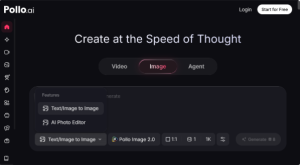

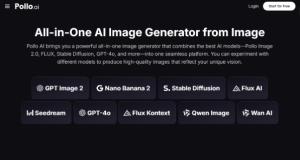
This multi-model approach is worth understanding because it has significant practical implications. Different AI models have different strengths. Some excel at photorealistic portraits, others at stylized illustration, others at architectural or product visualization. A platform that gives you access to several of them from one dashboard is not just more convenient — it is more creatively capable.
Beyond image generation, Pollo AI also includes video generation tools, making it one of the few platforms that genuinely covers both major categories of AI visual content creation.
Breaking Down the Key Features
Text-to-Image Generation
The core text-to-image function is well-implemented. Prompt interpretation is accurate, and the range of available models means you can match the generation approach to the specific aesthetic you are targeting. Results are consistently usable on the first or second attempt, which is a meaningful benchmark — many tools require extensive prompt iteration before producing something close to the intended output.
Video Generation From Images and Prompts
The video generation feature supports both text-to-video and image-to-video workflows. Clip quality is solid, and motion behavior is more natural than I expected. For short-form content — social media clips, product animations, visual storytelling segments — the output is genuinely publication-ready in many cases.
The LoRA Style Library
With more than two thousand LoRA templates built into the platform, the style customization options are extensive. These templates cover an enormous range of aesthetics, from hyper-realistic photography styles to anime, watercolor, retro illustration, and beyond. Applying them requires no technical knowledge — you simply select and apply within the generation workflow.
How to Get the Best Results: A Practical Guide
Start With a Clear Creative Brief
Before opening the platform, know what you want to achieve. The clearer your creative intent, the more effectively you can use the available models and templates. Vague prompts produce vague results regardless of how good the underlying technology is.
Use the Model Selector Strategically
Do not default to the first model in the list. Spend a few minutes exploring which models are best suited to your intended output style. The platform provides preview examples for each, which makes this evaluation quick.
Layer LoRA Templates for Unique Results
Experienced users will find that combining a base model with a well-chosen LoRA template often produces more interesting and distinctive results than either approach alone. Experiment with this layering approach before settling on a final output.
A Closer Look at Image to Image AI Capabilities
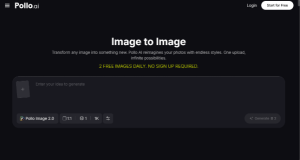

When I tested the Image to Image AI feature with a range of source material — portraits, product photographs, architectural images, and abstract compositions — the results demonstrated a strong understanding of both the structural and stylistic elements of the input. Style transfers maintained compositional integrity. Color palette swaps felt coherent rather than arbitrary.
The Ghibli-style transformation test, which has become a reliable way to evaluate how well a platform handles complex aesthetic shifts, produced results that were genuinely impressive in terms of detail retention and stylistic consistency.
What makes this feature particularly accessible is the text prompt integration. Rather than relying solely on visual reference, you can describe the transformation you want in natural language, and the system executes it accurately. This opens the workflow to users who are still developing their visual vocabulary — they can articulate what they want without needing to find a perfect reference image.
The LoRA library integrates seamlessly into this workflow, giving creators, influencers, and everyday users an almost unlimited range of stylistic directions to explore from a single source image. Changing a color scheme, shifting the mood, or completely reconstructing the visual style of a photograph can be done in a matter of seconds.
Honest Assessment: What Works and What Does Not
The platform’s strengths are real and meaningful. The multi-model architecture gives it a creative range that single-model tools simply cannot match. The interface is clean and well-organized, which matters when you are working quickly under deadline pressure. Output quality across both image and video modes is above average for the current market. The LoRA library is one of the most extensive I have encountered on any commercial platform, and it is well-curated enough to be genuinely useful rather than overwhelming.
On the limitations side, a few things are worth flagging. The free tier is quite restricted, and users who want to explore the platform’s full capability will need to commit to a paid plan relatively early. During high-traffic periods, generation times can slow noticeably. The video generation feature, while impressive in quality, is currently limited in terms of maximum clip length, which constrains its usefulness for certain content formats. Some users may also find that the breadth of options — models, templates, generation modes — creates a brief but real learning curve before they can move through the platform efficiently.
Comparing It to the Current Market
The AI image generation landscape includes strong competitors, and any honest review needs to acknowledge them. Midjourney remains the reference point for artistic image quality, particularly for illustration and concept art. Adobe Firefly is the obvious choice for users already embedded in the Adobe ecosystem. Runway leads on video generation for professional applications.
Pollo AI does not necessarily outperform any of these tools in their specific area of strength. What it does instead is offer a more complete creative environment than any of them individually. For a creator who needs strong image generation, video creation, and advanced style transfer tools — all without managing multiple subscriptions — it occupies a genuinely useful position in the market.
The Image to Image AI capabilities in particular stand out as a differentiator. This is an area where many competitors offer surface-level functionality, and where this platform delivers something meaningfully more capable.

This platform is well-suited to solo content creators who need to produce a high volume and variety of visual content efficiently. It is also a strong fit for small creative teams that want to standardize on a single AI tool rather than managing a patchwork of subscriptions. Social media managers, independent designers, photographers exploring AI-assisted stylization, and influencers building a distinctive visual identity will all find relevant, practical value here.
It is less suited to users with highly specialized technical requirements — those who need granular control over model parameters or who are building AI workflows into larger technical pipelines may find open-source alternatives more appropriate.
Final Thoughts
After a month of consistent testing across a wide range of creative tasks, the conclusion is straightforward. Pollo AI delivers on its core promise of a unified AI creative environment more convincingly than most platforms at this stage of the market’s development. The multi-model image generation, the video tools, and especially the Image to Image AI capabilities combine to create something that is genuinely more than the sum of its parts.
It has limitations, and it is not the right tool for every use case. But for the large and growing segment of creators who need capable, flexible, and consolidated AI creative tools, it represents one of the more compelling options available in 2026.


