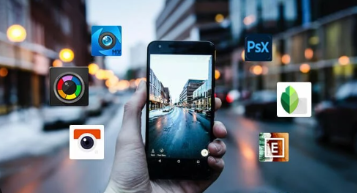
Creating visually appealing photos is essential for standing out on social media platforms like Instagram, Snapchat, and TikTok. While taking a good shot is the first step, using the right camera filter app can transform ordinary photos into captivating visuals. With numerous apps available, finding the perfect one for your needs can be challenging. Below, we’ve curated a list of the top six camera filter apps that will help you create stunning social media photos effortlessly.
Best Camera Filter Apps for Every Style and Need
These apps offer a combination of user-friendly features, beautiful filters, and advanced editing tools to make your photos look professional and eye-catching.
1. VSCO: The Go-To App for Elegant Filters
VSCO is known for its minimalist interface and high-quality filters that can give your photos a refined, film-like aesthetic. The app provides a vast collection of presets ranging from subtle enhancements to dramatic color shifts, making it ideal for users who prefer a cohesive, artistic look. Beyond filters, VSCO offers advanced editing tools such as exposure, contrast, and grain adjustments. It’s especially popular among Instagram users for its ability to maintain a consistent feed aesthetic.
2. Snapseed: Professional Editing with a User-Friendly Interface
Developed by Google, Snapseed is a powerful, all-in-one editing app that’s perfect for both beginners and professionals. It offers an impressive range of tools, including precise controls for brightness, contrast, saturation, and more. One of Snapseed’s most notable features is its Selective Adjust tool, allowing you to apply enhancements to specific parts of the image while keeping the rest of the photo unchanged. Snapseed’s filters are subtle and elegant, making it easy to achieve a polished, professional look.
3. Adobe Lightroom: Perfect for Precise Edits
Adobe Lightroom is the go-to choice for photographers looking for professional-level editing on their mobile devices. The app offers powerful tools like color grading, noise reduction, and selective adjustments. Lightroom’s filters, known as “presets,” are customizable, allowing you to fine-tune every aspect of your image. The app is particularly useful for users who want to maintain high-quality images for social media.
4. Afterlight: Ideal for Custom Filters and Textures
Afterlight is perfect for users who want more control over their filters and effects. With over 130 filters and 20 advanced tools, the app offers a blend of basic adjustments and creative options like dust overlays, light leaks, and textures that add a vintage or whimsical feel to your photos. You can even create your own filters by saving a combination of settings to achieve a signature look. Afterlight’s intuitive interface makes it easy to experiment, ensuring that your social media photos stand out with a personalized touch.
5. Prisma: Transform Your Photos into Artistic Masterpieces
If you’re looking to give your photos a creative spin, Prisma is the app for you. Unlike traditional filters, Prisma uses AI to transform your images into artworks inspired by famous artists like Van Gogh, Picasso, and Munch. With over 300 art styles to choose from, the app turns mundane photos into eye-catching visuals that are perfect for sharing on social media. Although not ideal for everyday editing, Prisma is a fun way to add a unique artistic flair to your feed.
6. PicsArt: All-In-One Editor for Creative Social Media Content
PicsArt is more than just a filter app—it’s a comprehensive creative tool for photo and video editing. With a wide range of filters, stickers, and text overlays, it’s ideal for creating engaging social media content. The app also offers collage tools, drawing features, and custom templates, making it perfect for users who want to experiment with different styles. PicsArt’s community of creators is another great feature, allowing you to share your creations and get inspired by others.
Conclusion
Choosing the right camera filter app can significantly impact your social media presence by making your photos stand out. Whether you prefer the elegant filters of VSCO or the artistic transformations in Prisma, there’s an app suited for every style and need. Experiment with these top picks to find the one that best matches your creative vision and take your social media photos to the next level!