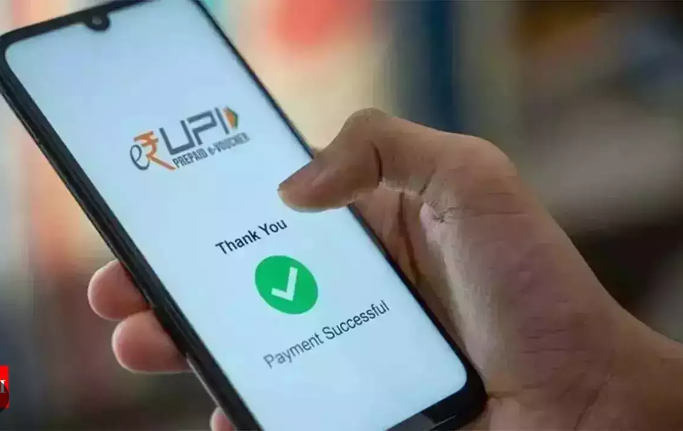
Today most of the population uses UPI (Unified Payments Interface) for transactions. Whether you have to pay bills, go shopping, or book a cab, you can use UPI to pay. It has changed or moreover, has improved how we make payments. But, do people know that the UPI app offers several discounts and rewards? Well, yes. Using UPI not only eases transactions but helps you save on your daily expenses. Let’s get deep into this guide to know how to activate and use UPI offers.
Understanding UPI Offers
When you make UPI payments, the UPI app gives you rewards, discounts, or cashback. These are different kinds of offers given by UPI. You get such offers on various types of transactions including shopping, bill payments, and money transfer. You can use these discounts or rewards for later transactions and save some money.
From finding offers to getting rewards through UPI, you have to go through multiple steps. Let’s know what is involved in each of these steps.
How to Find UPI Offers?
Follow the procedure below to find the rewards you have collected through UPI transactions:
- Firstly, open the UPI app that you have been using.
- Navigate through the app and find the Offers section.
- Check the Offers section in the app. Here, you can find all the active offers available to you.
Also, this section might include categories like bill payments, shopping, and others.
How to Activate a UPI Offer?
Do as the steps direct to activate your desired Offers by UPI:
- Open your UPI app, and browse through the sections showing available UPI offers.
- Select any one offer that suits your needs. For eg.- Cashback on Bill payments.
- Before activating, properly read the terms and conditions to avail of the offer.
- If the chosen offers need activation. click on ‘Activate’ next to the offer.
Hence, after activation is complete, your transaction will be eligible for the offer or reward.
How to Use the UPI Offers?
Once you have activated the offer, you have to use it. Here is how:
- After successful activation, make the relative transaction using your UPI app.
For example- Suppose you activated an offer for a discount on grocery shopping. So, buy groceries online and make a UPI payment at the checkout.
- You need to follow some instructions as per the offer demands to qualify it. Such as some offer asks to enter a code or go through the specific payment criteria in the app.
- Once the transaction is complete, your reward will be automatically credited to your account.
Tracking Your UPI Rewards
You can also check the status of your credited rewards within the Unified Payment Interface app. Here is how you can track and redeem rewards:
- Navigate through the app and find the section that displays your earned cashback and discounts.
- Now, you can redeem the accumulated rewards. Different UPI apps allow to redeem rewards in various ways. Such that you can bank transfers or use the vouchers.
Note: You must use your rewards before they expire.
Tips for Maximizing UPI Offers
Follow the given tips to get more offers through UPI apps:
- It is important to be updated with UPI apps as UPI offers change frequently. Regularly check the offers section to avoid missing out on new rewards.
- You can also see if your UPI app is allowing combining offers. It means you can use multiple offers for a single transaction.
- It is crucial to meet the offer’s requirements. Such as minimum transaction amount or purchasing from a particular platform. Then only you can receive the reward.
Conclusion
Next time you pay through UPI, do not forget to check for any available offers. This will help you maximize your benefits. Hence, we have provided a clear and easy process to activate and use UPI offers. You can check platforms like Bajaj Finserv that provide easy access to UPI services, making the most of such cashback, rewards, and discounts. Therefore, stay informed and use these offers whenever possible.